
Your OpenClaw setup, done right the first time.
We deploy OpenClaw into businesses that can't afford to get it wrong. Configured to your workflows, hardened before handoff, and supported as long as you need us.
Built for the people actually running the company — founders, executives, and the teams they trust — who need leverage without creating new security risk.
“Insecure by default.”
Gartner
Advisory on OpenClaw deployments
CONNECTS TO
WHAT YOU ARE SETTING UP
A digital employee that knows every system
Your CRM knows what your calendar doesn't. Your inbox has context your project manager never sees. You're the one moving information between tools that should already be connected.
OpenClaw is an AI that runs 24/7 on your own hardware or in a secure cloud — wired into the tools your business already uses. It reads your email, manages your calendar, updates your CRM, produces content in your voice, and takes action. One employee that touches every system.
Read your email, draft replies, and route messages to the right person automatically
Manage your calendar — find gaps, resolve conflicts, rebook clients, send agendas
Produce content in your voice from your existing materials — campaigns, reports, documents
Wire into your CRM, project management, databases, and messaging
Build a living knowledge base — every conversation, every process, every preference in one place
Available on Telegram, Slack, Discord, email — whatever channels your team uses
BUILT AND DEPLOYED — CLIENT SUCCESS STORIES
A 3-partner firm was producing 15+ HTML email variations per campaign by hand. Now their agent reads years of approved content, learns the voice, and generates them — wired through HubSpot, Slack, and Google Workspace.
A solo professional with 4 appointment types was losing hours to calendar gaps and manual rescheduling. Now their agent finds openings, composes personalized outreach, and rebooks clients automatically.
A client in Belgium needed a 24/7 Telegram assistant with full Google Workspace access — including a workaround for a university email system that blocked direct API access. Deployed remotely and running within 48 hours.
WHY PROFESSIONAL SETUP MATTERS
OpenClaw setup is where most people get stuck
The platform is free and open source. But a proper OpenClaw setup requires server configuration, security hardening, API integration, and custom prompt engineering. Get it wrong and you've got a security liability with the keys to your business.
Every SuperClaw deployment covers four areas most people miss:
01
Configuration
We select the right model for your budget and use case, configure the right skills, and design the right integrations. These decisions compound — the wrong ones cost you time and money.
02
Wiring
We connect your email, calendar, CRM, messaging, and databases — tested end-to-end before you touch it. Not just plugged in. Wired to work the way your business actually operates.
03
Tuning
Off-the-shelf prompts give you off-the-shelf results. We engineer prompts around your specific workflows, tune memory so context carries over, and manage costs so you're not burning through API credits.
04
Hardening
We lock down access controls, harden the server, restrict tool permissions, and audit everything before handoff. Your assistant gets exactly the access it needs — nothing more.
EXCLUSIVE TO SUPERCLAW: CLAWCARE MONITORING
Managed monitoring, built for peace of mind.
For clients on our ClawCare plans, every machine reports back to our custom-built Network Operations Center — fleet health, security baselines, and service status in real time. You decide what we monitor, when, and how much access we have. It's your machine — we just make sure it stays healthy.
ClawCare and Super ClawCare are optional managed service plans for any OpenClaw deployment. Learn more
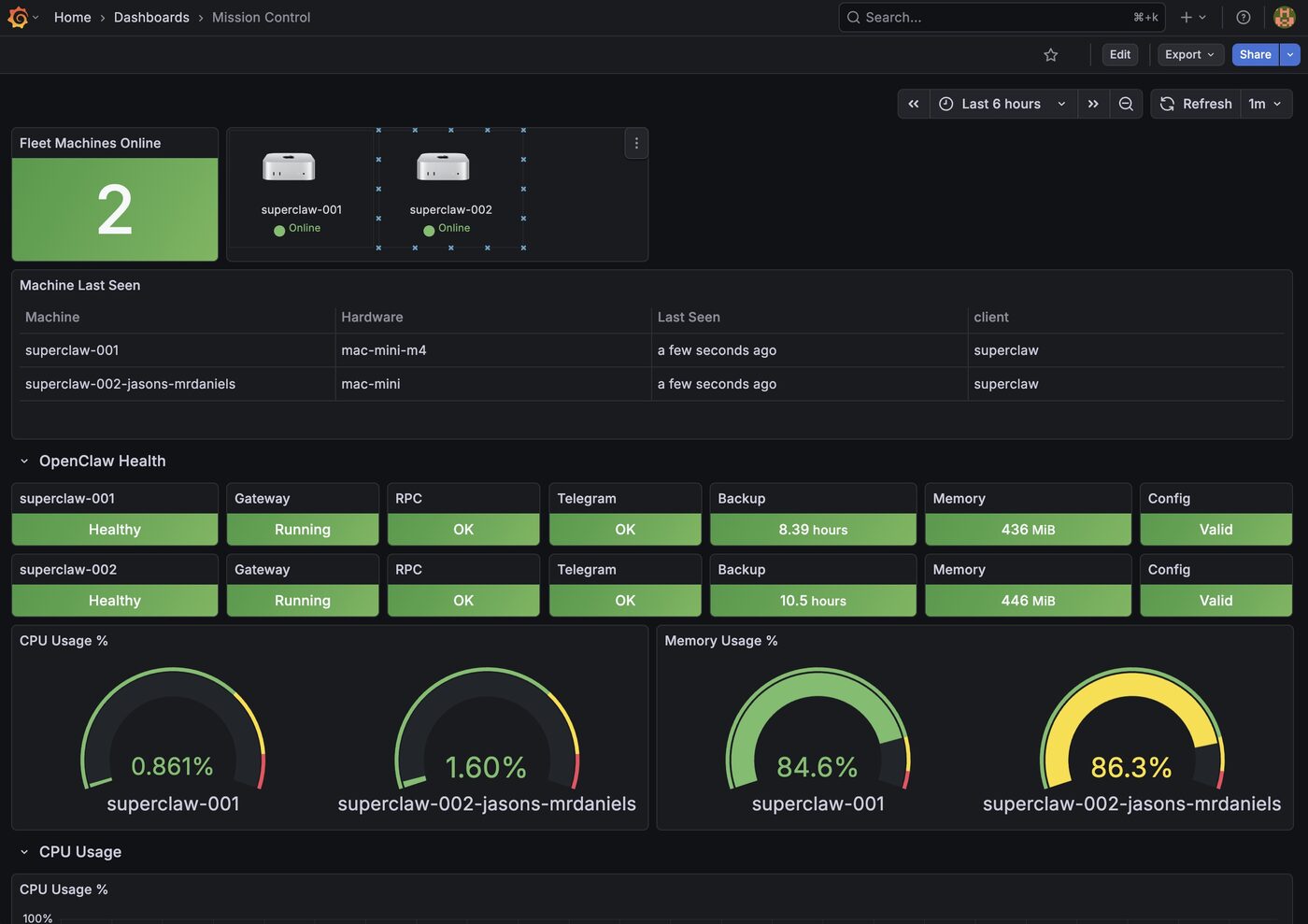
Mission Control — fleet health, OpenClaw status, and system metrics at a glance
THE HONEST TRUTH
Can you set this up yourself?
Yes. OpenClaw is open source. The docs are public. You could do it yourself.
Here's why most people shouldn't.
Going It Alone
20-40 hours of config files, troubleshooting, and dead-end forums
Wrong model choices that waste money or underperform
Security gaps you won't know about until it's too late
Trial and error on prompts that should just work
Integrations that half-work or break silently
No one to call when it goes down
With SuperClaw
Live in a day, not weeks
Right model for your budget and use case from the start
Hardened and audited before handoff
Prompts engineered around how your business actually works
Every integration tested end-to-end before you touch it
Dedicated Slack channel with people who've seen it all
Yes, it costs more than doing it yourself. But the real expense is weeks of wasted time, broken integrations, and security holes you don't know are there. The cost of a breach with an AI that has access to your entire business isn't something you want to find out.
WHAT PEOPLE ARE SAYING IN THE OPENCLAW COMMUNITY
“Genuinely the most incredible sci-fi takeoff-adjacent thing I have seen recently.”
— Andrej Karpathy
Former Director of AI at Tesla
“It feels like hiring an employee rather than opening another chat window.”
— Early Adopter
Series A Founder
WHERE WE OPERATE
IN-PERSON
Austin, TX
We come to your office in the Austin metro area
REMOTE
Available Worldwide
We deploy on your hardware or VPS via a guided remote session